





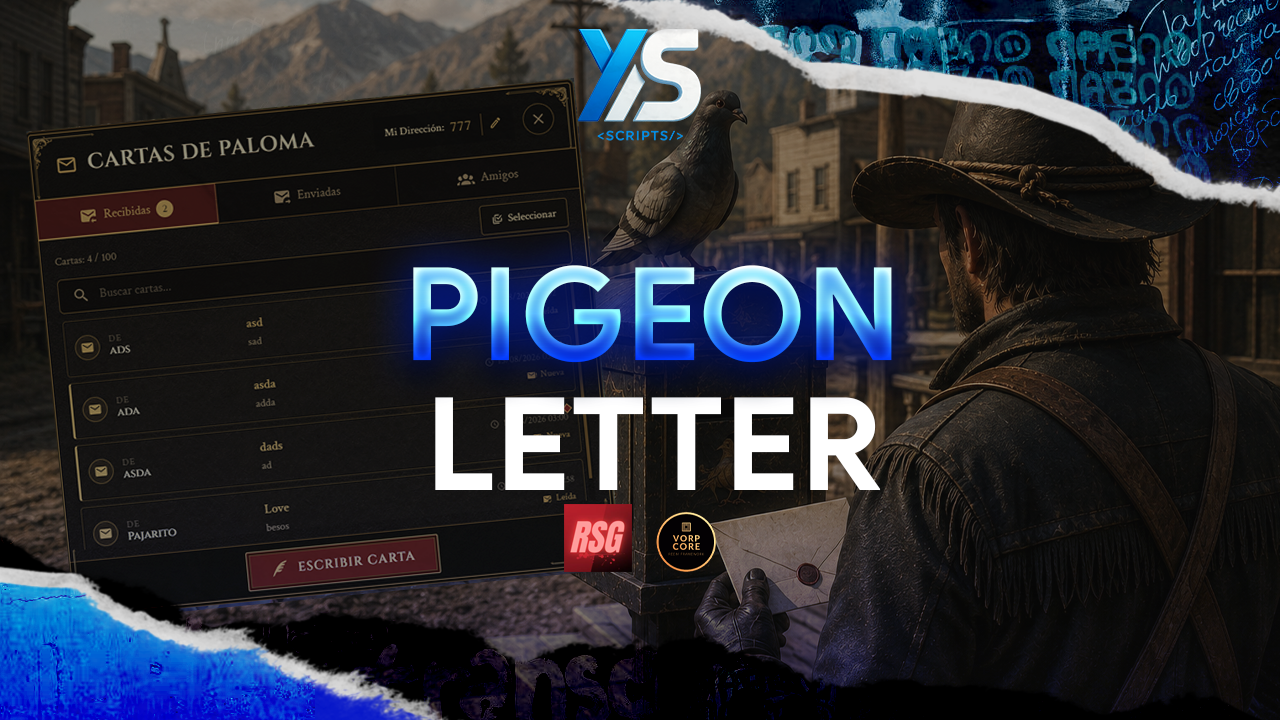
A fully featured and immersive pigeon letter system for RedM servers. Compatible with both VORP Core and RSG Core out of the box, with automatic framework detection. Players create a unique pigeon address, write letters, send them through an animated messenger bird, manage a personal archive, and stay in touch even when recipients are offline.
Key Features
Optimization
All database queries run through oxmysql asynchronously to avoid blocking the main thread. Player data is fetched server-side and sent to the NUI only when the archive is opened. The UI is a lightweight single-page HTML/JS application with no external CDN dependencies.
Requirements
Framework: vorp_core or rsg-core
Inventory: vorp_inventory or rsg-inventory
Library: ox_lib
Database: oxmysql
Optional:
Installation
Place the ys_pigeonLetter folder in your resources directory.
Run schema.sql to create the required database tables, or simply start the resource and the tables will be created automatically.
Add the items from required_items_en.sql to your inventory config.
Add the resource to your server.cfg after your framework and inventory:
VORP:
RSG:
Set your locale if needed:
setr ox:locale en
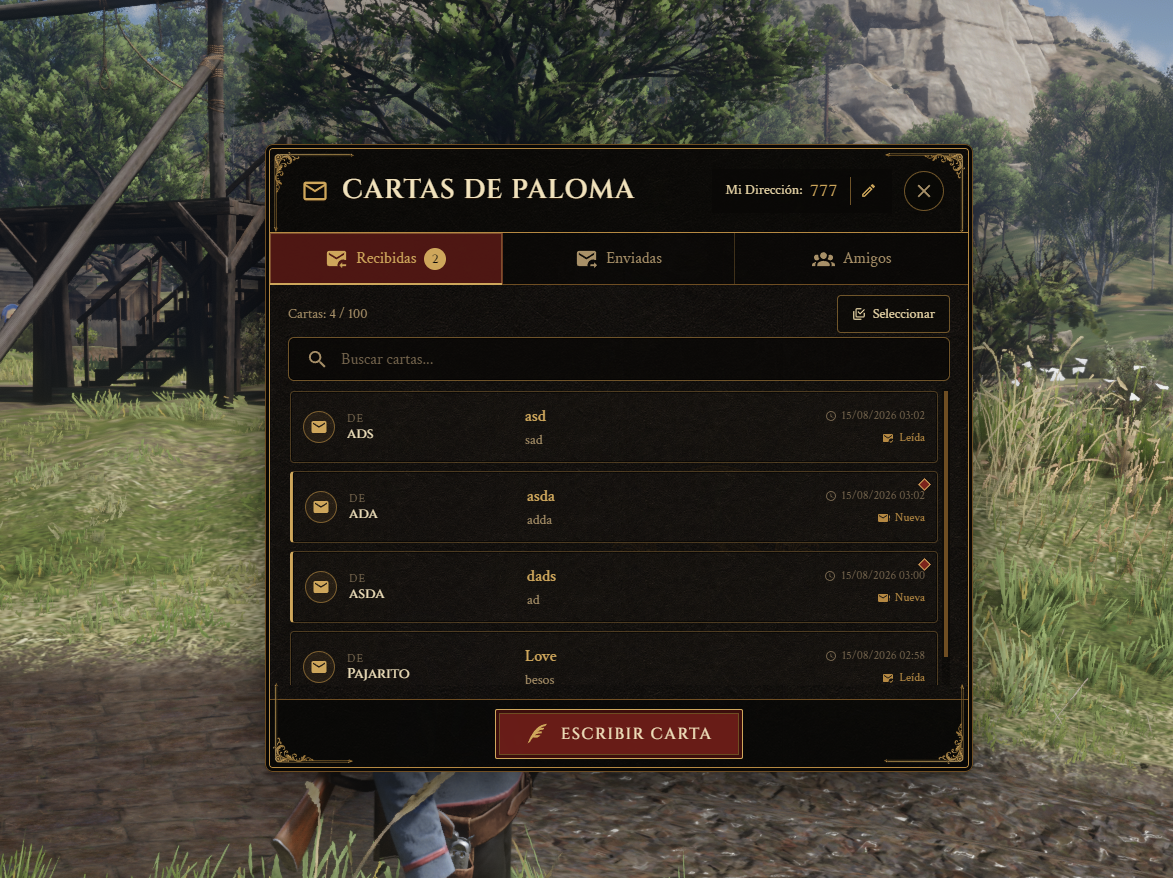
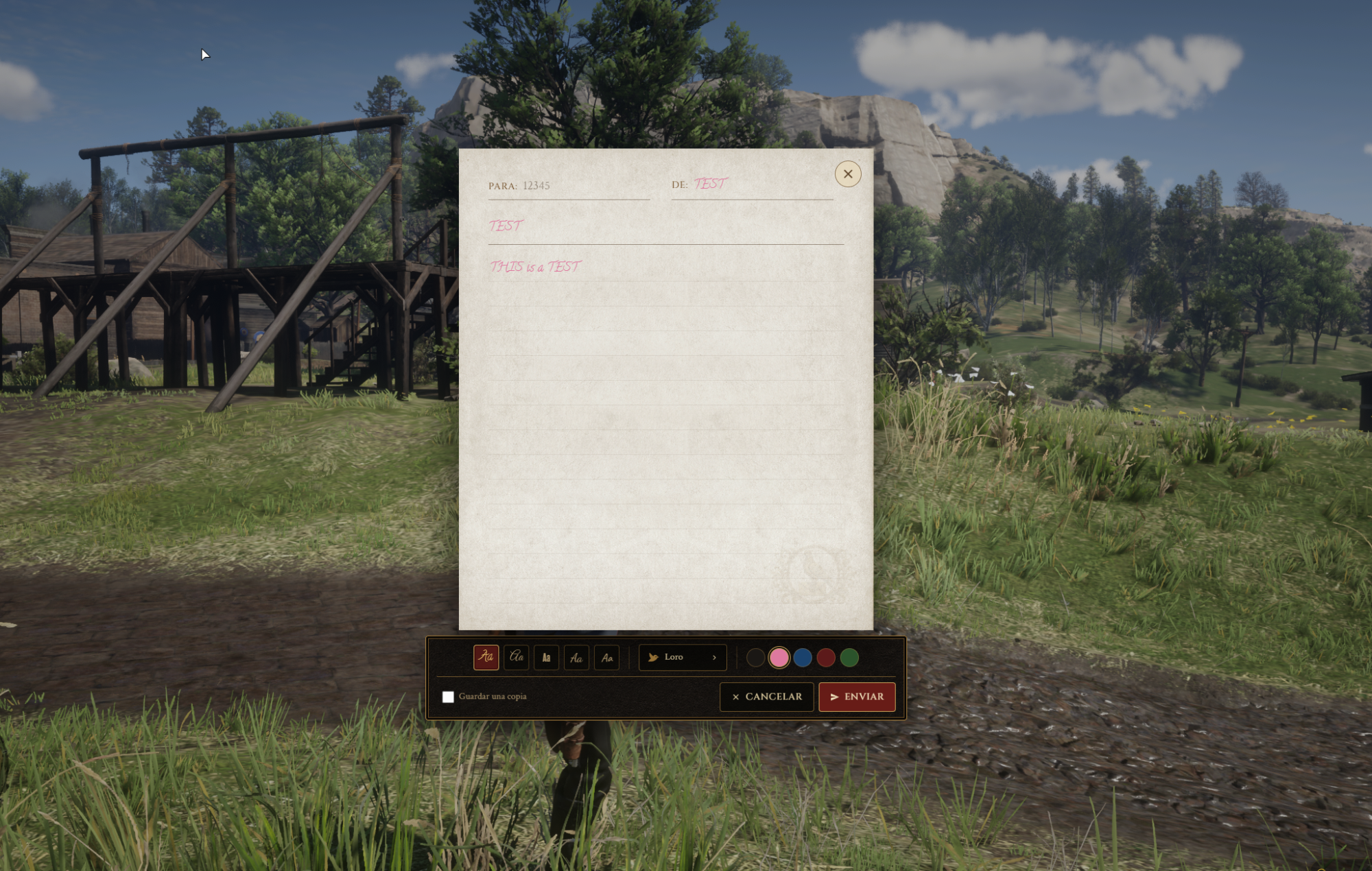



A fully featured and immersive pigeon letter system for RedM servers. Compatible with both VORP Core and RSG Core out of the box, with automatic framework detection. Players create a unique pigeon address, write letters, send them through an animated messenger bird, manage a personal archive, and stay in touch even when recipients are offline.
Key Features
Optimization
All database queries run through oxmysql asynchronously to avoid blocking the main thread. Player data is fetched server-side and sent to the NUI only when the archive is opened. The UI is a lightweight single-page HTML/JS application with no external CDN dependencies.
Requirements
Framework: vorp_core or rsg-core
Inventory: vorp_inventory or rsg-inventory
Library: ox_lib
Database: oxmysql
Optional:
Installation
Place the ys_pigeonLetter folder in your resources directory.
Run schema.sql to create the required database tables, or simply start the resource and the tables will be created automatically.
Add the items from required_items_en.sql to your inventory config.
Add the resource to your server.cfg after your framework and inventory:
VORP:
RSG:
Set your locale if needed:
setr ox:locale en
You have no favourites yet.
Loading purchases...
No purchases found for this period.