






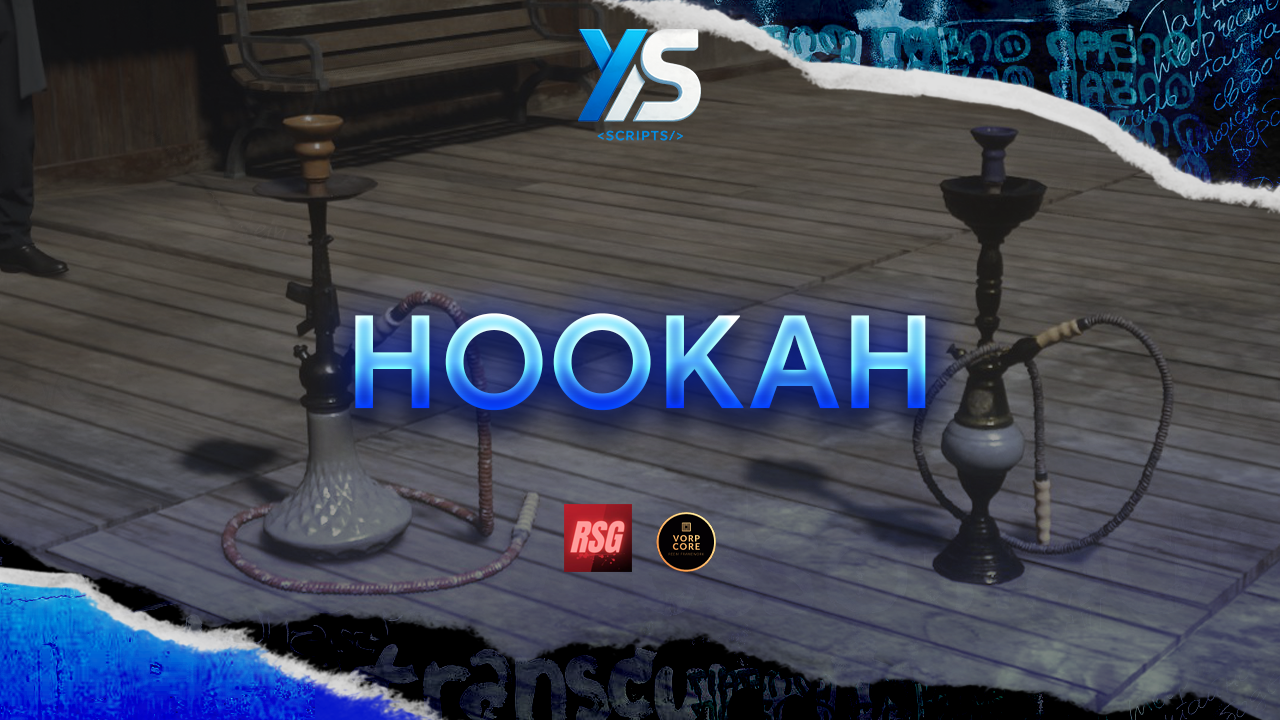
Place it. Mix your flavours. Bring your gathering spots to life.
Add an interactive hookah experience to your RedM server, with two included models, a hand-following hose, animated puffs, flavour-coloured smoke and a live refill panel. Set up fixed hookahs in saloons and lounges, or let players carry their own and choose where to settle down.
Players take the mouthpiece, refill water and tobacco, create their own flavour blends and enjoy a shared scene that nearby players can see and hear.
At a glance: Red & gold models · Placeable inventory items · Four tobacco flavours · Water & tobacco management · English & Spanish · VORP integration & RSG bridge
Four tobacco types are configured by default:
| Flavour | Smoke colour |
|---|---|
| Plain tobacco | White |
| Mint | Green |
| Strawberry | Red |
| Blackberry | Purple |
Adding another flavour blends it with the tobacco already in the bowl. The panel shows the mix as percentages, and each puff selects a flavour according to those proportions. Its smoke takes that flavour's colour.
Want a fresh blend? Empty the bowl to remove the remaining tobacco while keeping the water. Flavours, inventory items and colours can be customized in the configuration.
The package includes red and golden hookah models, along with the resource's streamed assets and sounds. No separate model pack is required.
Define fixed locations in Config.puntos, or use the included compatible base models in your map-placement tools. Fixed locations use distance-based spawning and cleanup through ox_lib points.
Fixed and compatible map hookahs: water, tobacco and flavour reserves are saved through resource KVP storage.
Player-placed hookahs are temporary. They are not restored after a server or resource restart. Players must pick them up beforehand; otherwise the placed hookah and its consumed placement item are lost. Picking one up preserves its reserves in the returned item's metadata.
| Requirement | Details |
|---|---|
| Platform | RedM |
| Required library | ox_lib (documented test version: 3.32.1) |
| VORP setup | vorp_core + vorp_inventory |
| RSG setup | rsg-core + rsg-inventory; bridge included, not yet tested on an RSG server |
| Framework selection | VORP or RSG, selected manually or detected automatically |
| Optional interaction | sleepless_interact; native prompts work without it |
| Storage | Resource KVP for fixed/map reserves; inventory metadata for picked-up hookahs |
| Resource name | ys_cachimba |
| Version | 1.10.2 |
| Languages | English and Spanish |
| Protection | Cfx Asset Escrow; configuration, framework bridges, locales and NUI remain editable |
Choose one framework setup. Other frameworks or inventories require adapting the editable bridge files. The escrowed resource requires the appropriate asset entitlement on the Cfx account associated with your server license key.
ys_cachimba in your server's resources/ folder.ox_lib, your chosen framework and its inventory before ensure ys_cachimba.sql/; add any missing water/plain tobacco items and the inventory images.config.lua.setr ox:locale "en", or Spanish with setr ox:locale "es". English is the default.The included README covers setup, controls, configuration, editable files and developer integrations.
| Key | Action |
|---|---|
| G | Take or return the mouthpiece |
| E | Take a puff while holding the mouthpiece |
| R | Open the refill panel |
| Hold X | Pick up your placed hookah |
| Enter / Backspace | Confirm / cancel placement |
| Left / right arrows or mouse wheel | Rotate during placement |
| Esc | Close the panel |


Place it. Mix your flavours. Bring your gathering spots to life.
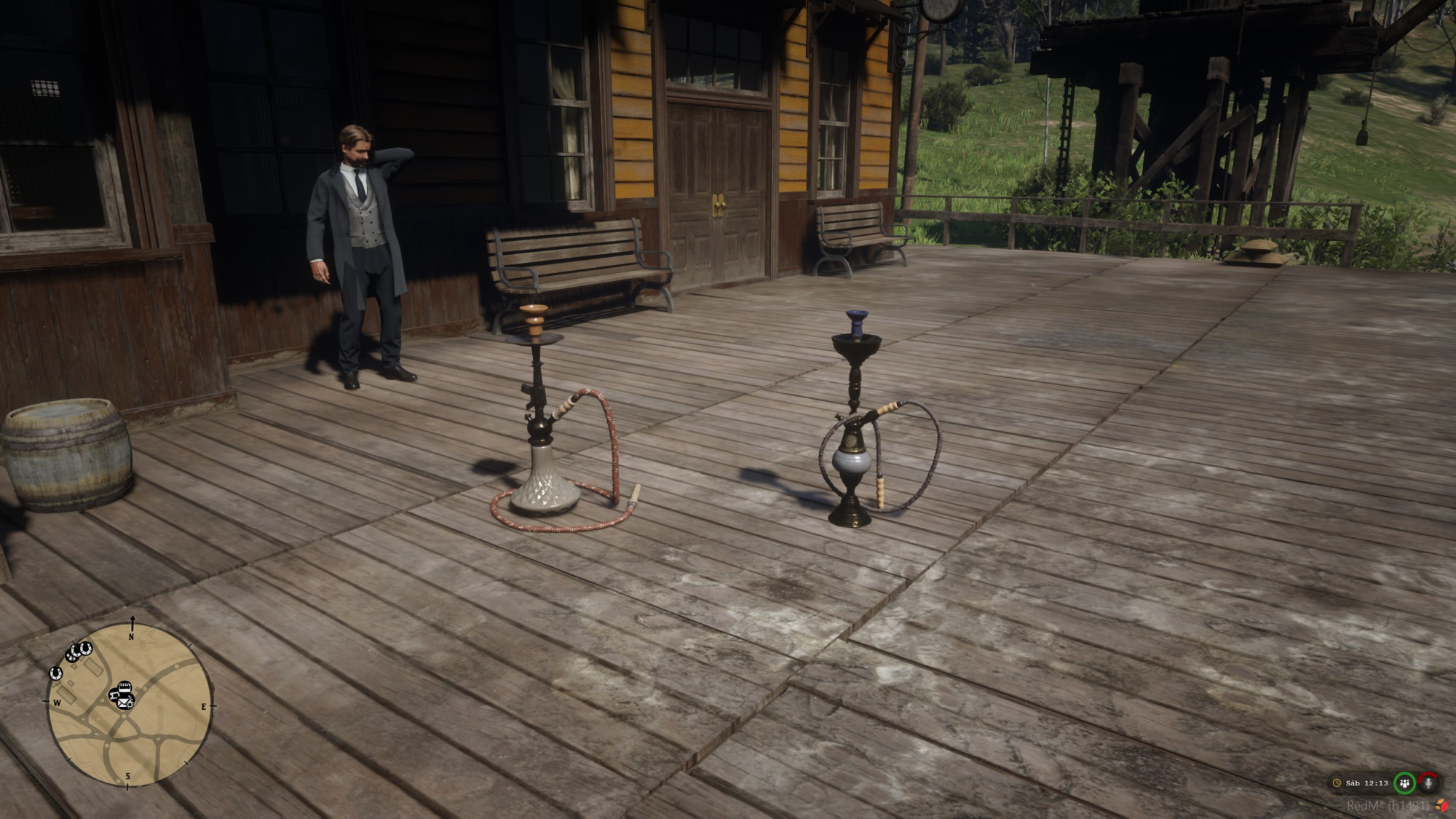
Add an interactive hookah experience to your RedM server, with two included models, a hand-following hose, animated puffs, flavour-coloured smoke and a live refill panel. Set up fixed hookahs in saloons and lounges, or let players carry their own and choose where to settle down.
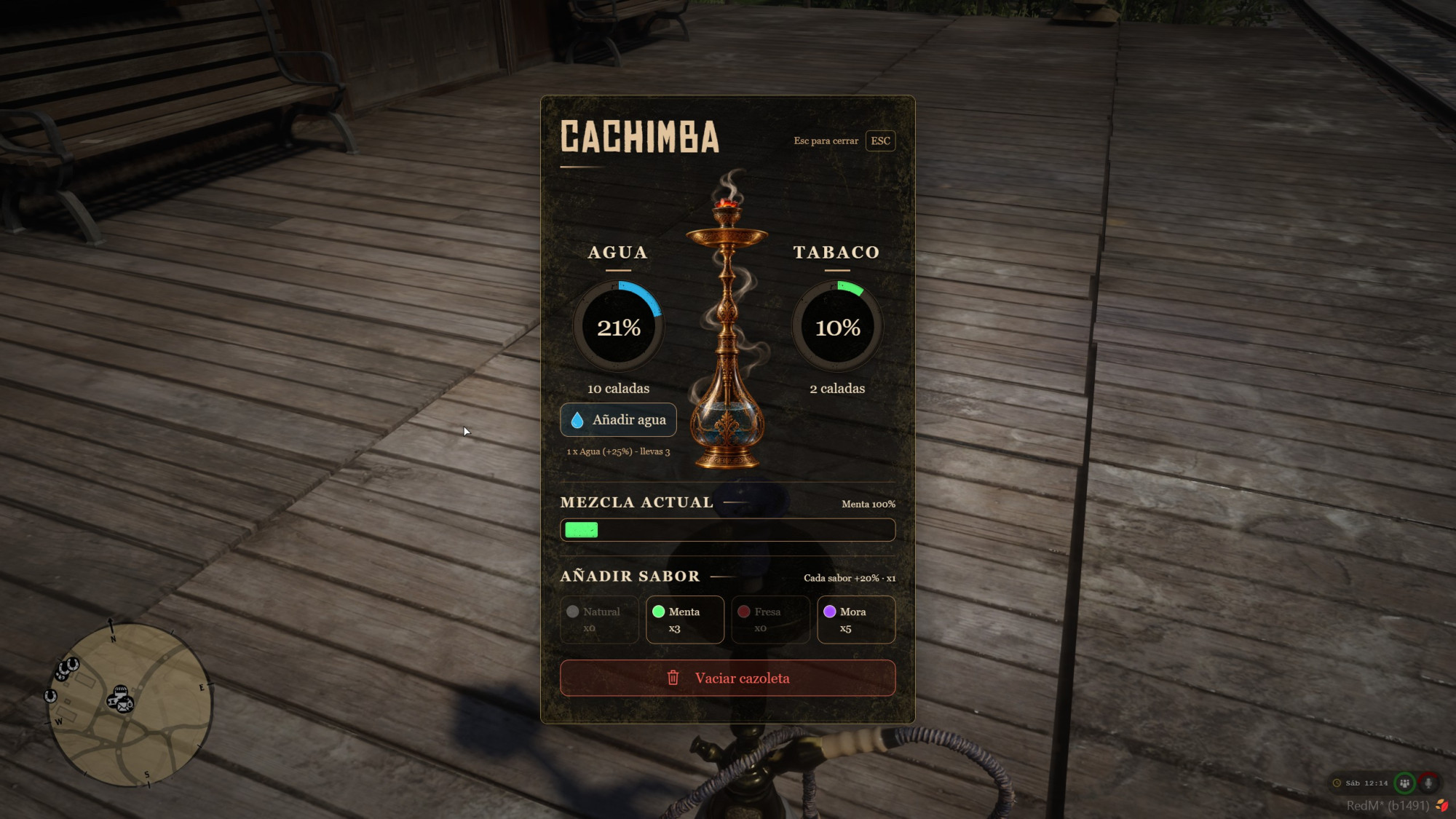
Players take the mouthpiece, refill water and tobacco, create their own flavour blends and enjoy a shared scene that nearby players can see and hear.
At a glance: Red & gold models · Placeable inventory items · Four tobacco flavours · Water & tobacco management · English & Spanish · VORP integration & RSG bridge
Four tobacco types are configured by default:
| Flavour | Smoke colour |
|---|---|
| Plain tobacco | White |
| Mint | Green |
| Strawberry | Red |
| Blackberry | Purple |
Adding another flavour blends it with the tobacco already in the bowl. The panel shows the mix as percentages, and each puff selects a flavour according to those proportions. Its smoke takes that flavour's colour.
Want a fresh blend? Empty the bowl to remove the remaining tobacco while keeping the water. Flavours, inventory items and colours can be customized in the configuration.
The package includes red and golden hookah models, along with the resource's streamed assets and sounds. No separate model pack is required.
Define fixed locations in Config.puntos, or use the included compatible base models in your map-placement tools. Fixed locations use distance-based spawning and cleanup through ox_lib points.
Fixed and compatible map hookahs: water, tobacco and flavour reserves are saved through resource KVP storage.
Player-placed hookahs are temporary. They are not restored after a server or resource restart. Players must pick them up beforehand; otherwise the placed hookah and its consumed placement item are lost. Picking one up preserves its reserves in the returned item's metadata.
| Requirement | Details |
|---|---|
| Platform | RedM |
| Required library | ox_lib (documented test version: 3.32.1) |
| VORP setup | vorp_core + vorp_inventory |
| RSG setup | rsg-core + rsg-inventory; bridge included, not yet tested on an RSG server |
| Framework selection | VORP or RSG, selected manually or detected automatically |
| Optional interaction | sleepless_interact; native prompts work without it |
| Storage | Resource KVP for fixed/map reserves; inventory metadata for picked-up hookahs |
| Resource name | ys_cachimba |
| Version | 1.10.2 |
| Languages | English and Spanish |
| Protection | Cfx Asset Escrow; configuration, framework bridges, locales and NUI remain editable |
Choose one framework setup. Other frameworks or inventories require adapting the editable bridge files. The escrowed resource requires the appropriate asset entitlement on the Cfx account associated with your server license key.
ys_cachimba in your server's resources/ folder.ox_lib, your chosen framework and its inventory before ensure ys_cachimba.sql/; add any missing water/plain tobacco items and the inventory images.config.lua.setr ox:locale "en", or Spanish with setr ox:locale "es". English is the default.The included README covers setup, controls, configuration, editable files and developer integrations.
| Key | Action |
|---|---|
| G | Take or return the mouthpiece |
| E | Take a puff while holding the mouthpiece |
| R | Open the refill panel |
| Hold X | Pick up your placed hookah |
| Enter / Backspace | Confirm / cancel placement |
| Left / right arrows or mouse wheel | Rotate during placement |
| Esc | Close the panel |
You have no favourites yet.
Loading purchases...
No purchases found for this period.